Prostir

Agents

AI agent builder for the way your business works

Prostir’s AI agent builder starts with the job you describe in Builder. Create an agent that answers from your knowledge, uses the actions you allow, and works through a supported chat or channel. Start with one job you can check from beginning to end.

For the usual MCP path, model-token cost to the Agent creator is $0: the customer's AI client supplies the model under that customer's subscription and limits.

Available

Give your agent the context and actions its job needs.

What is getting in the way

You keep explaining the same context and carrying work between conversations and tools. A useful assistant needs your sources, rules and permissions in one place. A policy file, a customer record and a tool connection each hold part of the answer, while you still coordinate the handoff.
What changes

An agent with a clear job, your business context and a working path for the people who need it. You can test the agent with real requests, inspect its sources and allowed actions, and refine it in Builder before inviting others.

Agents

How Prostir gets you there

  1. Describe one useful job

    Tell Builder who needs help, which questions or tasks repeat, and what a useful result looks like in your business.

  2. Try it with your context

    Add the needed sources and approved connections. Test routine questions and cases that should stop or ask you.

  3. Use it where it fits

    Choose access and verify the supported client or channel. Ask Builder to refine the behavior as you learn.

Available

What you can verify

  • Keep your agent’s instructions, knowledge, allowed actions and versions together. Improve the same agent as your business changes.
  • Give the agent searchable knowledge, reusable Skills and approved tools. Add a supported chat or website channel for the people who need it.
  • Start private. Choose which people or company domains get access, set usage limits and publish only when you are ready.

A good fit if

  • You have a repeat job, for customers, clients or your own team, that an agent could take on.
  • You want it hosted, with access control and chat channels, without building your own backend.

Not the right fit if

  • You need a general app builder with your own screens, not an agent.
  • You want your customers to change the agent's instructions, tools or shared knowledge.

What goes into your Agent

agent

Give every answer a source

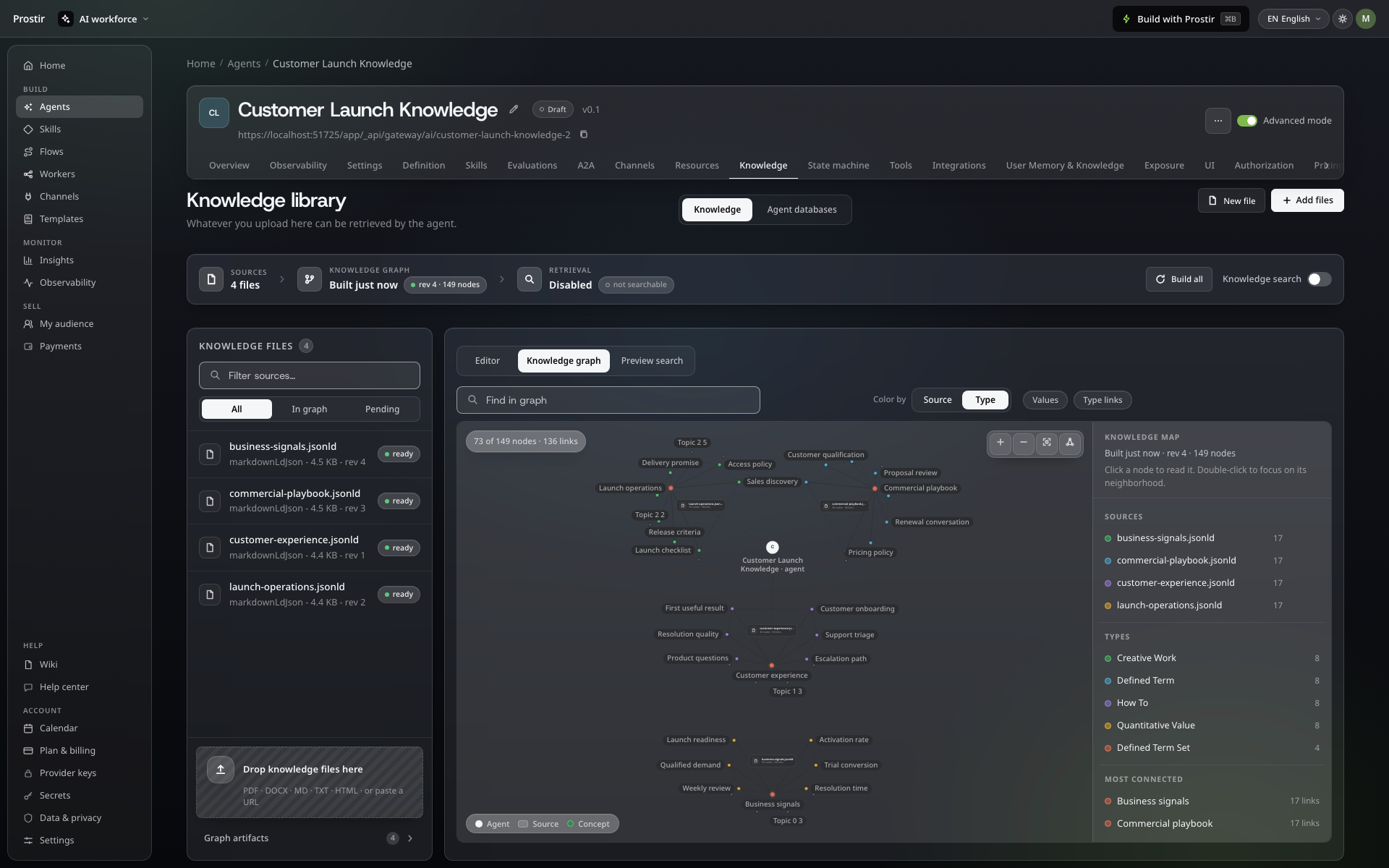
Connect your sources and ideas, then inspect the facts behind an answer.

Agent knowledge graph with connected concepts, source filters and graph search
Explore the knowledge behind an answer.

agent

Databases for structured information.

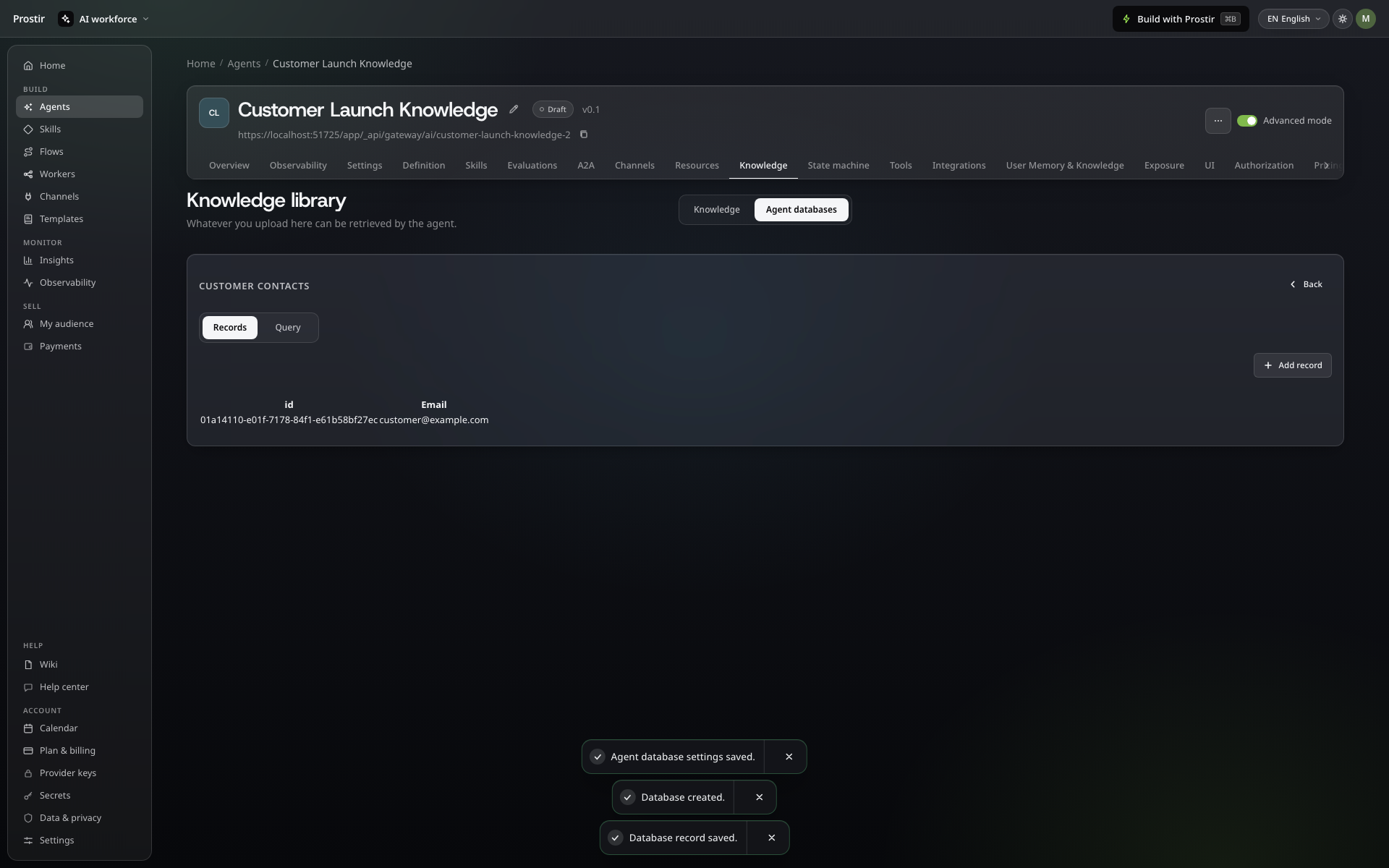
Keep contacts and other structured records in tables, with clear permission to read or change them.

Agent database with a typed customer contacts table and a record
Keep structured records under your control.

agent

Turn an answer into useful work

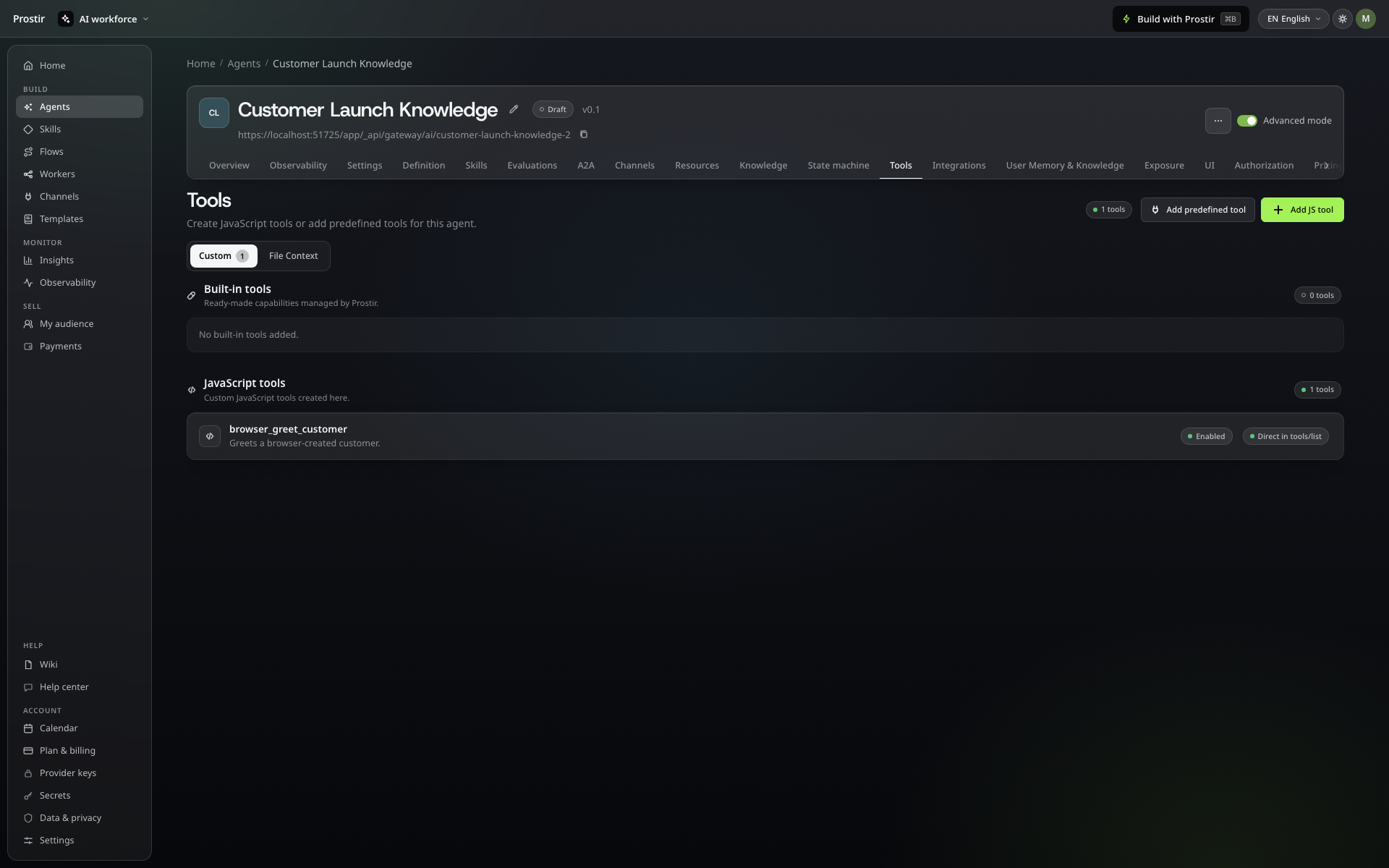
Choose the tools your agent needs and test their permissions before letting it act.

Use a model on your own computer →

Agent tools workspace with the creator's permitted tools
Choose the actions your agent may use.

agent

Put it where your customers work

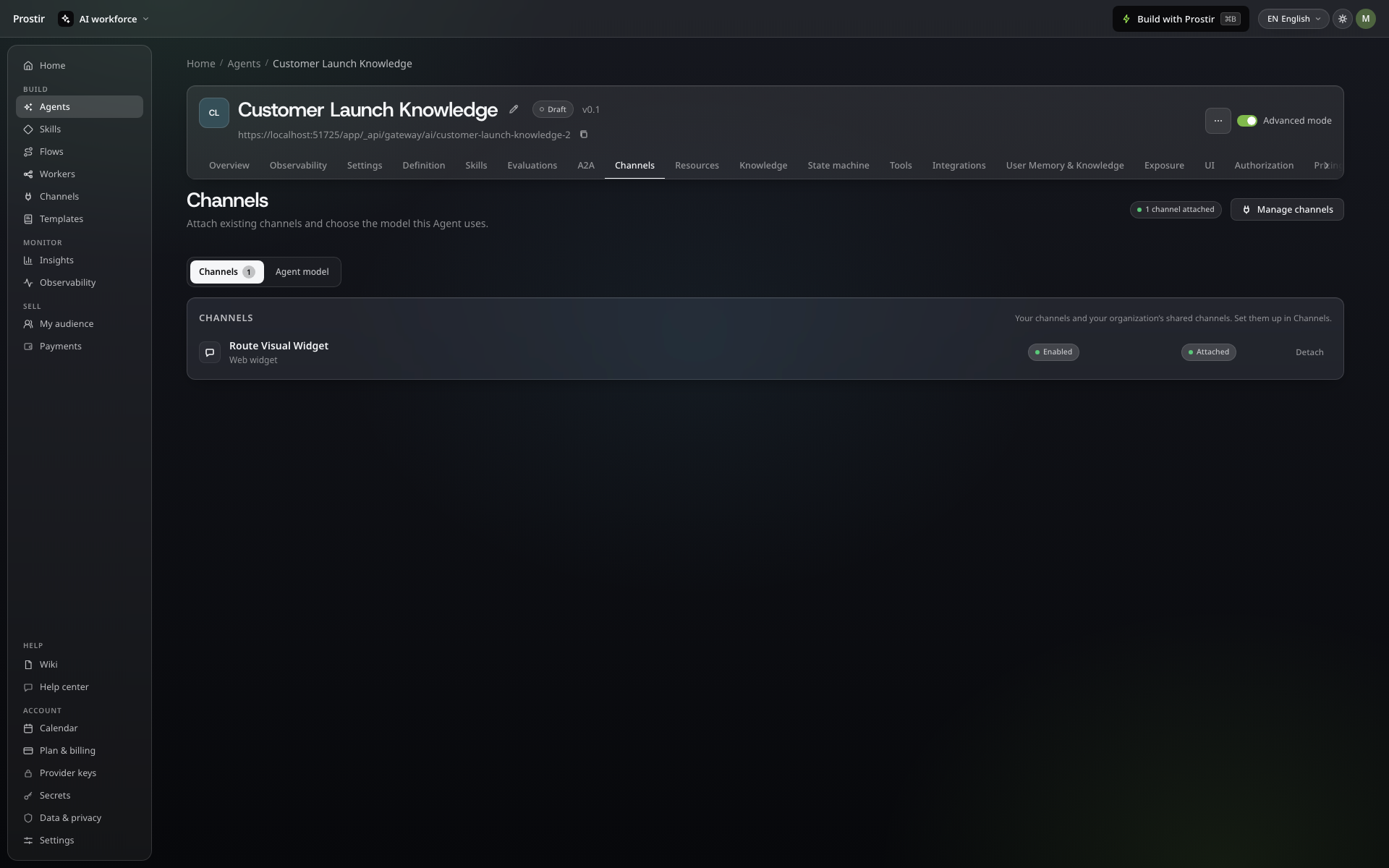
Use the same configured agent in a supported website widget, messaging channel or AI client.

Agent channel list with an enabled website widget attached to the Agent
Connect the channels your audience uses.

Watch Agent in action

Follow a real interaction in Prostir. Pause whenever you want a closer look.

Explore connected knowledge, then use Builder to update the agent's rules.

A useful first step

Your first AI agent launch kit

A ready Builder brief and a five-point launch check. Use it to define a useful job before you spend time building the wrong assistant.

Check the essentials

  • Name one job and the people it helps.
  • Choose the sources the agent can use.
  • Authorize only the tools that job needs.
  • Test a good request, a missing detail and an out-of-scope request.
  • Check access and costs before inviting anyone.

Plan your first step

A plan for the agent. A clear view of usage.

  • Your Prostir plan

    Choose the Agent, knowledge and operation allowances your work needs. Start with a 7-day Creator trial with no card, then compare the current plans inside Prostir.

  • Your AI client

    Through a compatible external MCP client, the model runs in that client’s environment. The Agent creator does not pay those model tokens; the client’s subscription and limits apply.

  • Hosted runs and extras

    Choose AI Credits or your own provider key for supported hosted runs. Paid external tools, seller charges and payment-provider fees remain separate.

Build my first agent7 days free. No card required.

Questions before you decide

Do I need to code or build the backend first?

No. You describe the behavior, add knowledge, set access and pick channels without code. Code only comes in if you want a custom JavaScript tool or a special integration. Prostir handles the hosting and access.

Does publishing make the agent public to everyone?

No. A new agent asks people to sign in by default. Opening a free agent to anyone without sign-in is a separate choice you have to confirm.

Who pays for model tokens, and what do they cost the Agent creator?

For the usual MCP path, model-token cost to the Agent creator is $0. When a customer uses the Agent through a supported MCP connector in ChatGPT or Claude, the model runs in that customer's AI environment under the customer's subscription and limits. The creator pays for the Prostir plan, not those model tokens. AI Credits are needed only when the creator separately chooses a Prostir-hosted model run, such as a supported channel or widget. BYOK is optional and bills the creator's own provider account. Paid external tools remain separate.

Does every Agent have its own page, and can I use my domain?

Yes. A published Agent gets its own hosted page at https://{slug}.ai.prostir.build and its MCP endpoint at /mcp. Discuss a branded custom domain as a custom-plan scope. It needs domain-ownership, DNS, TLS, routing and client-auth review; standard plans do not promise self-service custom domains.

Why make an agent if I can just ask a chat?

A chat is useful for a question in front of you. An Agent gives a repeated job a defined set of rules, Knowledge, allowed tools and access. You can use that setup in compatible AI clients, while still checking its answers and actions.

Read the full guide →
Do I have to set up APIs and integrations myself?

You can describe the job in Builder and choose supported tools, but a connection still needs the right credentials and permissions. A system without a suitable supported connection may need development. Prostir does not make every API compatible or repair external systems automatically.

Read the full guide →
What if it gives the wrong answer or leaves a job unfinished?

AI can still misunderstand a request, use weak information or fail during an action. Give the Agent good sources and clear limits, then test examples that include mistakes. For a Flow, inspect the run and saved result rather than treating a confident reply as proof of completion.

Read the full guide →
Why use Prostir if I already have ChatGPT, Claude or automation tools?

Keep tools that already do their job. Prostir adds a place to define a product's Knowledge, rules, allowed actions and access, with a shared Builder. Agents can be used in compatible AI clients. A Prostir Flow is useful when its explicit steps fit the job; migration is not a requirement.

Read the full guide →
What about private information and security?

Decide which people, products and tools may use each piece of information. Give the job only the access it needs and consider where the chosen model processes data. Company is a private workspace; a private-looking link alone is not access control or proof of security certification.

Read the full guide →

Available

Your next agent starts with your work.

Pick one customer question or routine task and build an agent for it with your own knowledge. Start your 7-day Creator trial, no card needed.

Image preview