Prostir

Research-backed article

Prostir AI agents: what you can build and control

Prostir AI agents: what you can build and control. Your knowledge and approved tools in one agent, while Prostir handles the technical part.

7 days free. No card required.

Before you read

What you get

A plan to choose, build, open up, test and publish your first Prostir agent.

Who it's for

Business owners and small teams choosing a first AI job and the knowledge, tools and controls it needs.

Topics

Prostir Agent · AI agents · Prostir

01

Start with one job

Start with the job you want help with. Tell Builder what should happen and for whom. It sets up the supported parts in the product you have open, and you test the result and ask for changes.

A prompt demo becomes a product once someone owns its sources, access, tools, failures, updates and support. Prostir gives you that product layer for an agent, without turning it into a Company, a Store or a custom app.

Pick Prostir when the result is an agent that answers or acts within one clear job. It suits an agent that needs its own public identity, access from AI apps, controlled users, saved versions and, if you want, paid access through Stripe or Rozetka Pay.

Use existing software, fixed automation or a custom app when the job is already solved, follows fixed rules, needs its own interface, or has legal and integration needs beyond one agent.

Before you open Builder, write down how the job works today and one sign that tells you it's done.
02

Give it context you trust

Keep approved Knowledge, lasting instructions, reusable Skills, live tool lookups and customer Memory apart. Name who keeps each source current.

Tell the agent what to say when an answer is missing, outdated, disputed or out of scope.

Next to each source, note the usage rights, the review date and who corrects or deletes it.

03

Choose actions and limits

Add tools only when the job needs current data or an approved action. Start read-only and limit what each tool takes in and gives back.

Payments, permissions, customer records and other key data stay behind server rules.

Ask for confirmation before changes that matter, and keep a route to a person for exceptions.

04

Control who gets in

A published address gives nobody permission. New Prostir agents are private by default.

You choose the access yourself: OAuth sign-in for exact resources, limited API keys you can revoke, or confirmed anonymous access where it's allowed.

Test the owner, a customer, an allowed domain and revoked access. A link nobody knows about is no protection.

05

Test what goes wrong

Save cases for success, refusal, a missing source, conflicting sources, an unauthorized user, a tool failure and recovery.

A polished chat proves little. You have evidence once failures repeat the same way and the owner can see them.

Keep failed cases in the test set, so a later edit can't quietly bring them back.

06

Publish with an owner

Publish one agent with versions, a passport page and an MCP endpoint, the address supported AI apps use to connect.

One person stays responsible for sources, permissions, incidents, updates, support and retirement after launch.

Prostir takes on the building and hosting. It doesn't bring customers, guarantee correct answers or take over your responsibility for the agent.

07

Why not just ask a chat?

A chat helps with the question in front of you. An agent does a job you repeat: it keeps your files, your rules and the actions it may take, and everyone on your team uses the same one.

A Prostir example

Build a support agent with your returns policy. It answers customers and names the file it used, so nobody pastes the policy into a chat again.

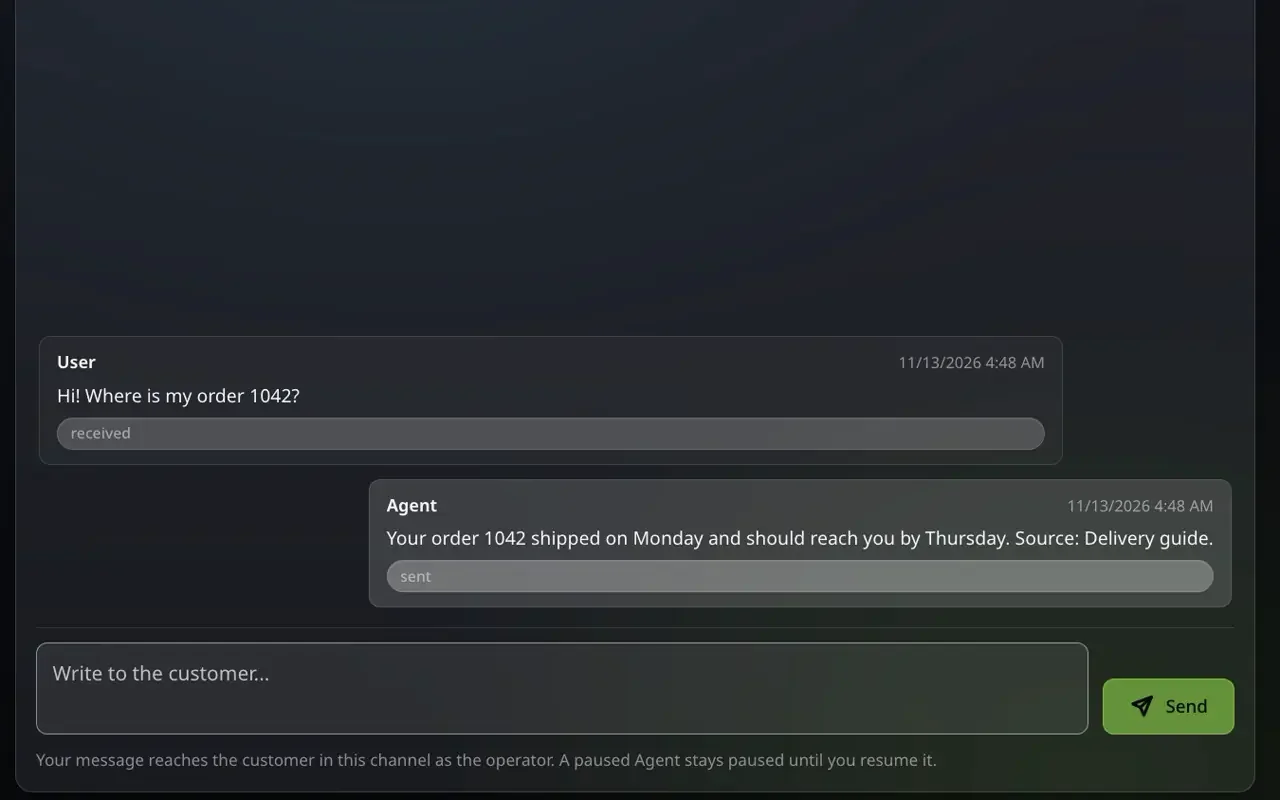
A customer asks on Telegram where an order is, the agent answers from your files and names the source, and you choose which actions it may take.

What to check first

Ask it a routine question, one with a missing detail and one it should refuse.

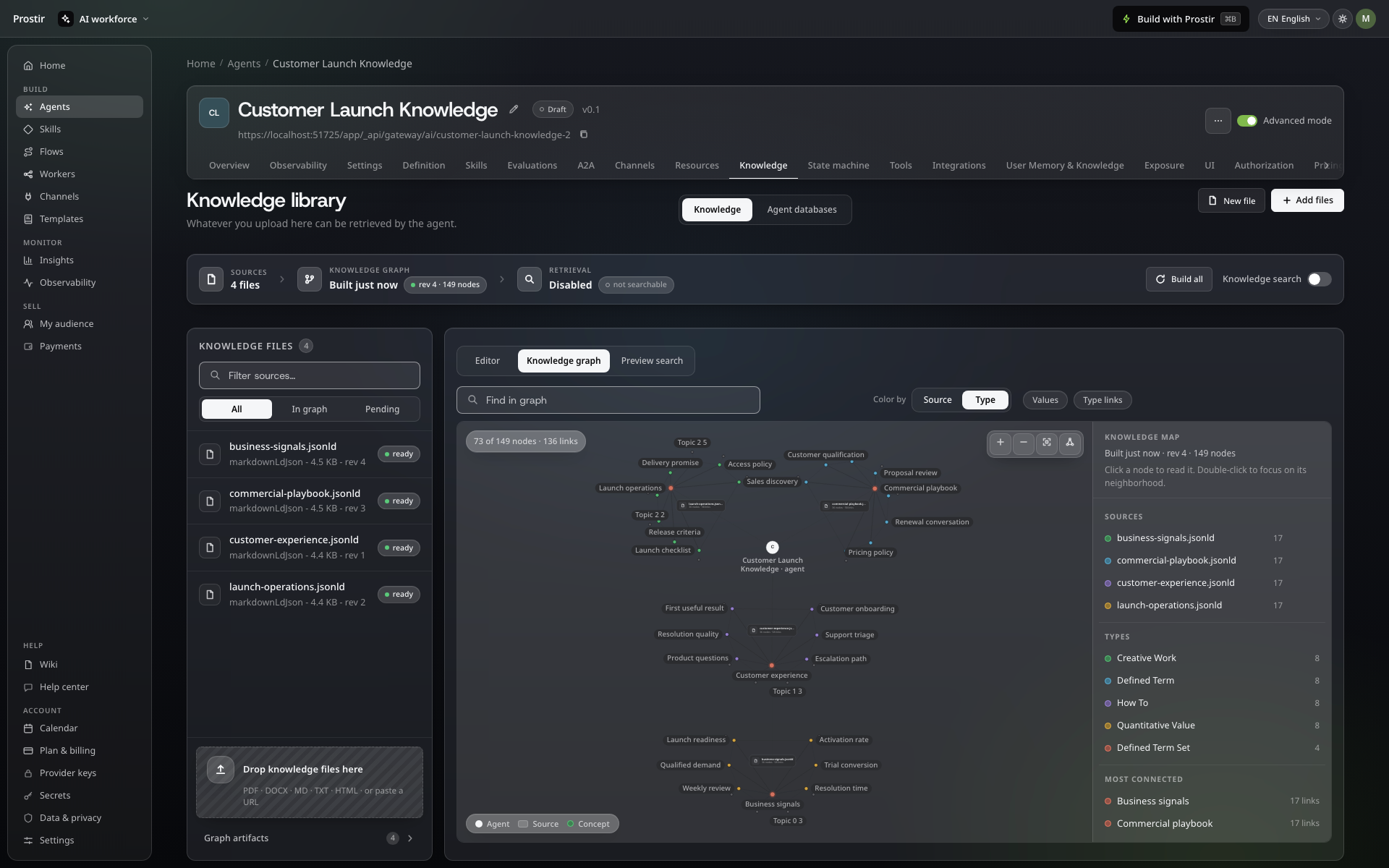
Agent knowledge library with four help-desk files and the knowledge graph built from them
Your files and the knowledge graph built from them.

Solutions

Build your agent from one prompt

Start with one customer question or routine task. Builder sets up the agent with your files and the actions you allow, and Prostir hosts and runs it.

Image preview