JMCustomer launch
Company
AI workspace for companies: your team's work in one place
Prostir Company is an AI workspace for companies. Your team keeps tasks, records, files and know-how in one private place, and the AI works from the same information. Invite the colleagues who need it and check what the AI looked at or changed.
Preview
Customer launchCompany
Shared goalA clear path from first call to launch
To doCustomer successPrepare customer brief
In progressOperationsReview launch checklist
ALCustomer launch
DoneLaunchConfirm handoff owners
MKCustomer launch
CRM pipeline
DiscoveryProposalWon
What is getting in the way
Work is spread across chats, docs and spreadsheets. Before anyone can move a task forward, they have to piece together what happened and who said what. The task list says one thing, the spreadsheet says another, and the latest answer is buried in someone's messages.
What changes
One private Company where your team and its AI helpers see the same tasks, records, files and knowledge. Each person sees and edits what their role allows, and every change is easy to trace back.
Company
How Prostir gets you there
Describe how your team works
Tell Builder about one process: who is involved, what they keep track of and what they need to know.
Set up the shared space
Add a task board, a table for your records, your files and the knowledge your team relies on.
Invite the team and try it
Bring in a few colleagues, work through real tasks with the AI and adjust roles and setup as you go.
Preview
What you can verify
- Each Company is private. Only invited members get in, and their role decides what they can read or change.
- Your team gets task boards, goals, CRM records, saved views, databases, versioned files and cited knowledge, plus authorized agents and tools. CRM is included in Creator and AI Creator Pro; Operations requires AI Creator Pro.
- Members can also open the Company from a supported AI client such as Claude or ChatGPT. AI operators that act on their own, time and cost tracking, and issue tracking are still in progress.
A good fit if
- Several people on your team need to work with the same tasks, files, records and knowledge.
- You are on Creator or AI Creator Pro and happy to start with a preview we are still finishing.
Not the right fit if
- You need AI that runs your operations on its own, or full time tracking and issue management today.
- You want to publish the Company itself as a public agent or sell it.
Inside your Company workspace
company
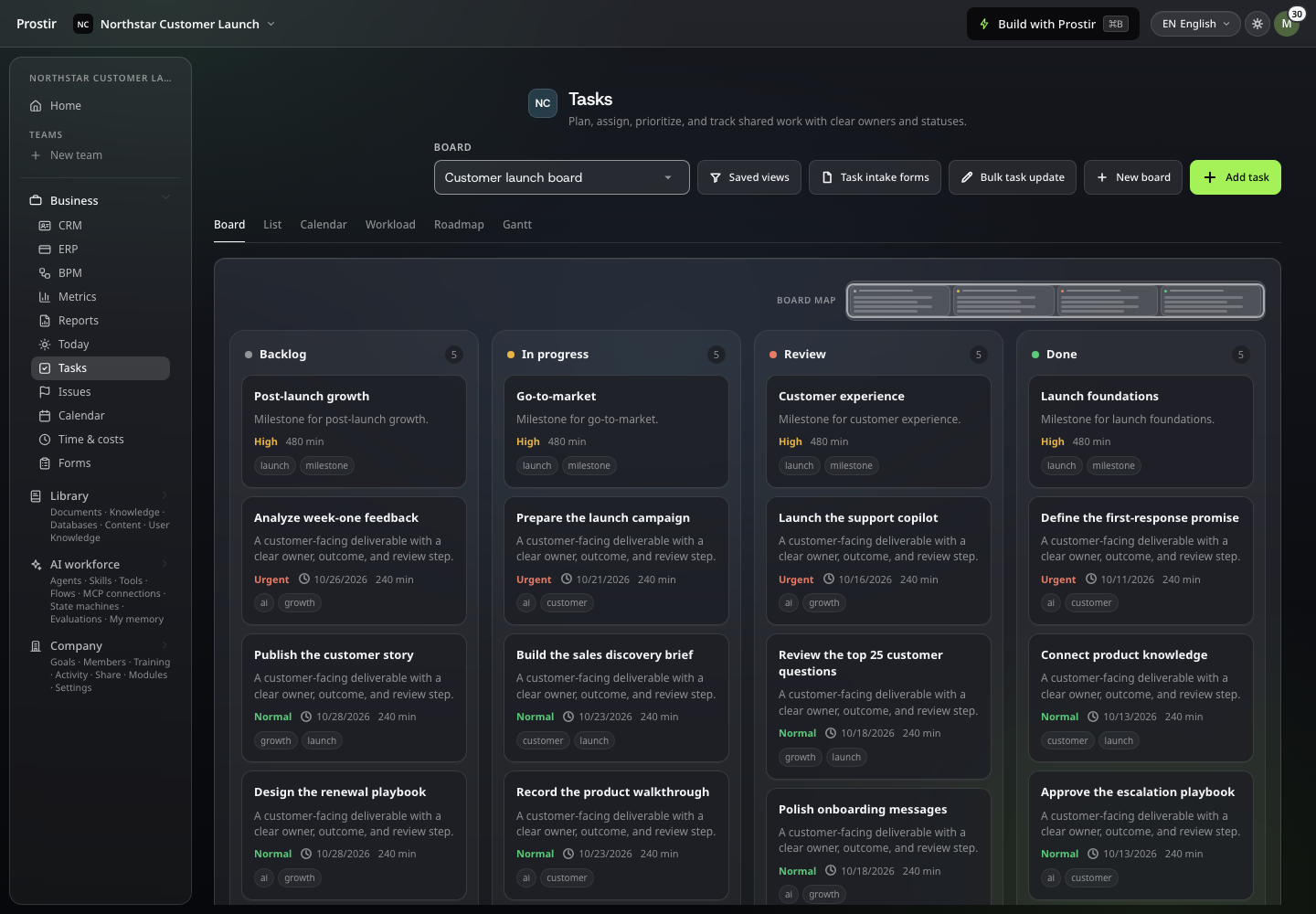
Give shared work a clear home
Keep tasks, owners and progress together so the next action is clear to everyone involved.
company
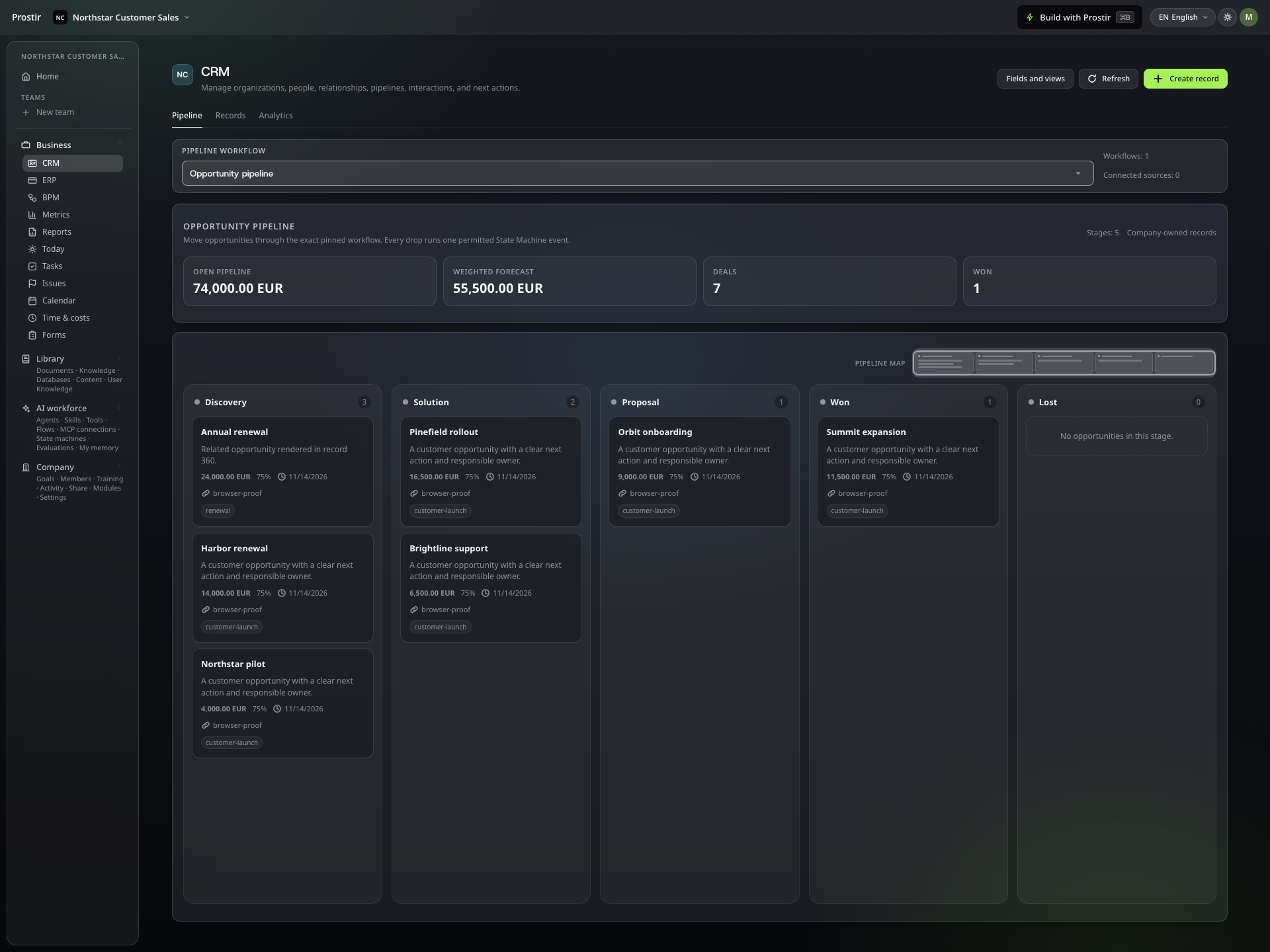
Keep the next customer conversation moving
Move through your sales stages with customer opportunities and the next task in view.
company
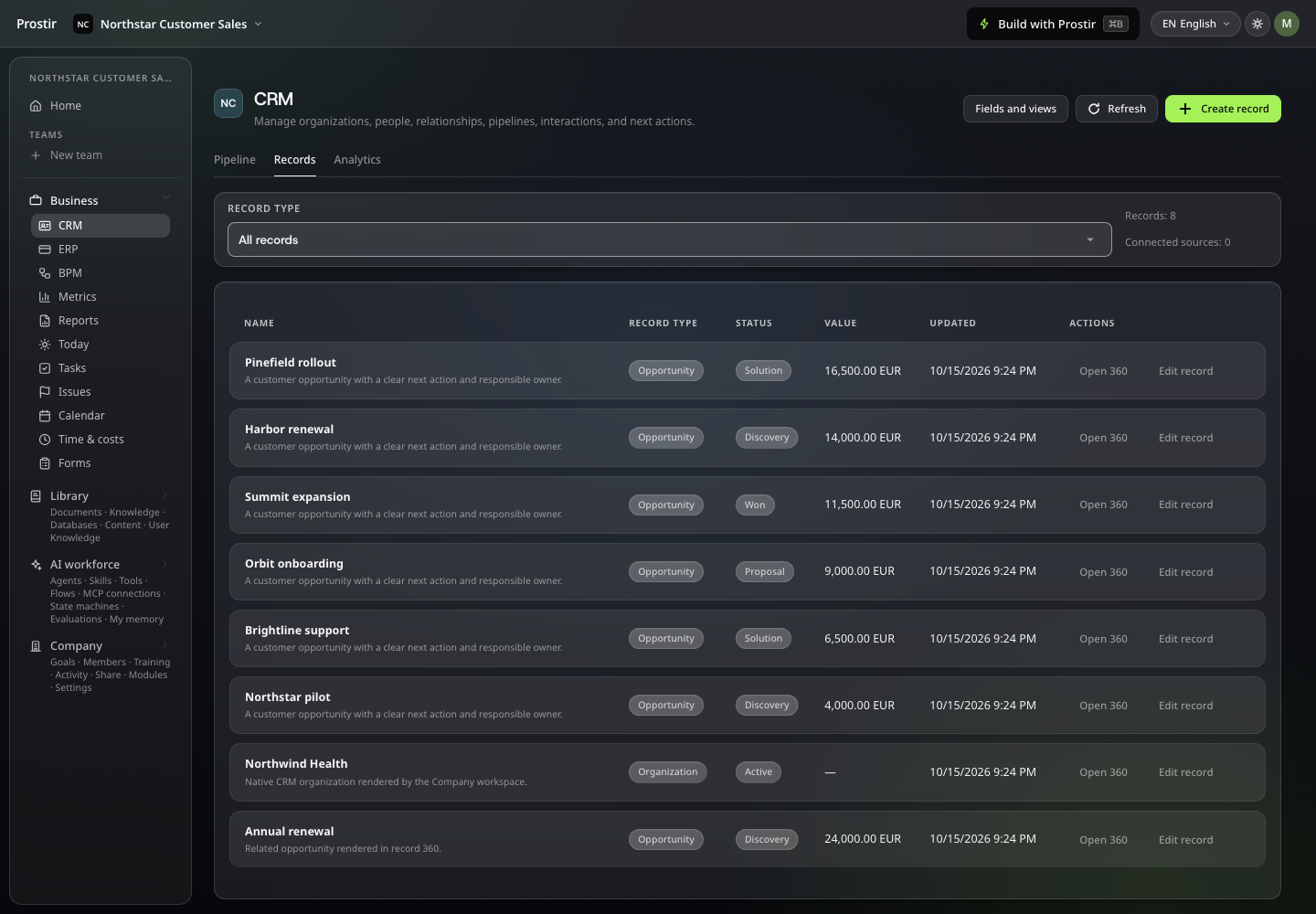
The customer behind the deal.
Keep people, organisations, opportunities and customer interactions beside the work they create.
company
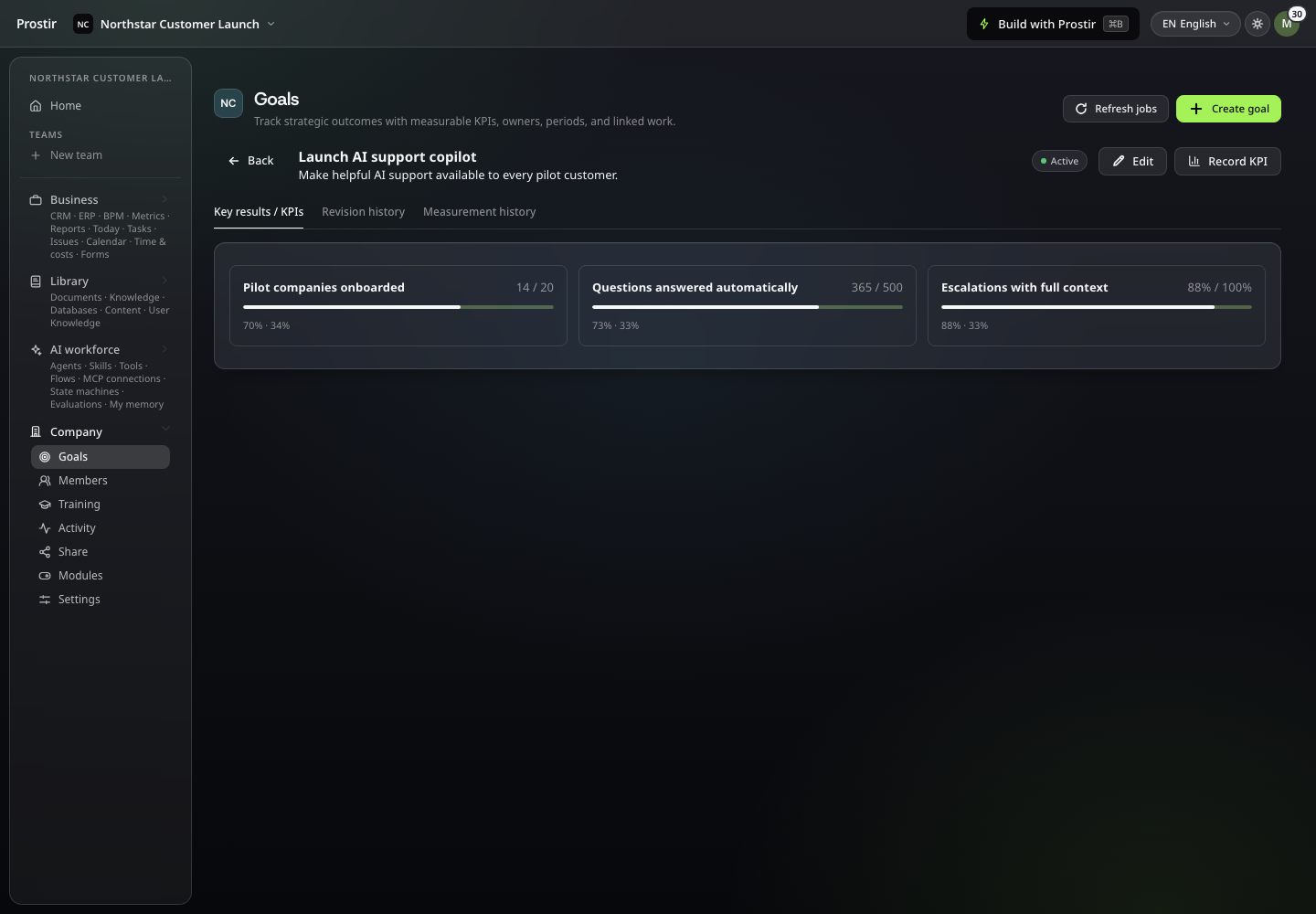
Let people and AI use the same context
Connect daily tasks to a shared goal and the results you want to track.
company
Know who can act and what changed
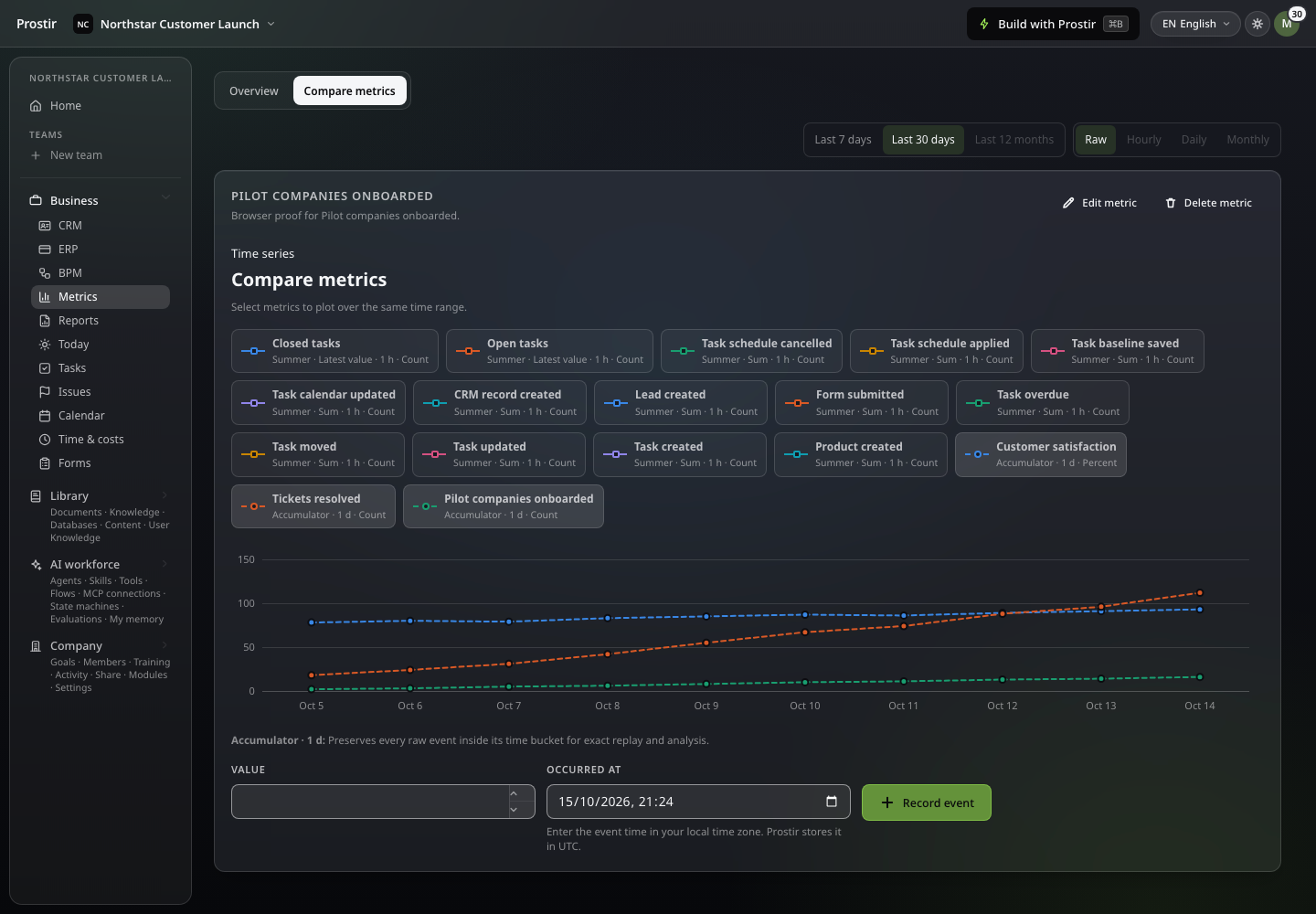
Compare the measures your team uses to check progress and decide what needs attention.
Watch Company Preview in action
Follow a real interaction in Prostir. Pause whenever you want a closer look.
A useful first step
The Company setup worksheet
Pick one shared process, the people involved and the records they need. Includes a short checklist for access, views and what Company Preview does not do yet.
Start with a ready brief
You can edit this brief in Prostir before starting Builder.
Check the essentials
- Name the first process you share.
- List the members and what each one needs to see.
- Pick the records, fields, board stages and one useful view.
- Try a routine with real colleagues.
- Check what is still in progress: AI operators that act on their own, time and cost tracking, issue tracking.
Plan your first step
Try Company Preview with one shared process.
- Which plans
Company Preview is included in Creator and AI Creator Pro. Start with the 7-day Creator trial and check the limits for your members and work.
- AI and connected tools
AI model runs and outside tools can cost extra. Decide which connections the process needs and who can turn them on.
- What is not ready yet
Try today's shared-work features before you move an important process. AI operators that act on their own, time and cost tracking, and issue tracking are still in progress.
Set up my Company7 days free. No card required.
Questions before you decide
What can I try in Company Preview?
Task boards, Gantt planning, BPM, goals, CRM records, saved views, databases, versioned files, cited knowledge, tools, connections and the Agents and Skills you add. Company Preview and CRM are included in Creator and AI Creator Pro; Operations requires AI Creator Pro. Broader autonomous operations, time and cost tracking and issue tracking are still developing.
Does every member need their own paid plan?
No. Access comes from the plan of the person who owns the Company, so the colleagues you invite do not have to buy one. Your plan's limits still apply.
How do I see what happened and stay in control?
Control starts with a narrow job, clear access and a result you can inspect. Flow runs help you follow explicit steps; Company tasks and CRM show saved work. These are useful records of what happened, not a guarantee that every decision was correct.
Read the full guide →Can it work with our CRM, ERP, documents, mail and APIs?
That depends on the exact system, connection and operation. An Agent can use permitted supported tools alongside Knowledge. Company has its own CRM and tasks. For external systems, first separate reading information from changing it, and prove each required connection before building a broader workflow.
Read the full guide →Will my colleagues actually use it?
People need a clear job, familiar language and confidence about what they can check. Introduce one useful task with its actual users, then adjust it from their feedback. Company keeps shared work together; Learning can support practice, homework and feedback while remaining a Preview product.
Read the full guide →Explore related options
Preview
Give your team's work one home.
Stop digging through chats to find out what happens next. Set up one board, a few records and your own knowledge in Company Preview. Start your 7-day Creator trial, no card needed. Company Preview is included in Creator and AI Creator Pro.