Build the learning, not just the content
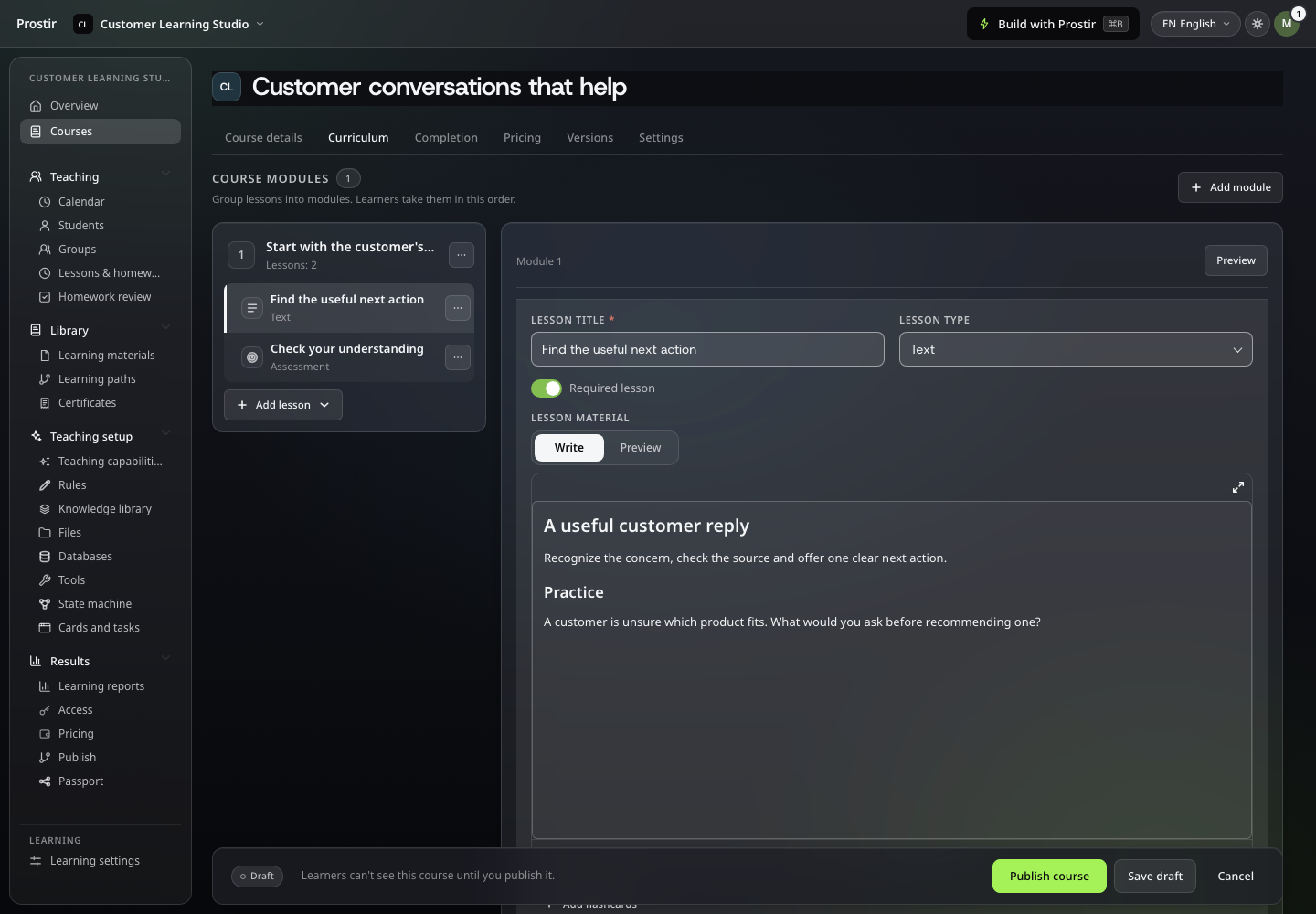
Organise your material into modules, lessons and practice, then preview the learner experience.
Learning · Preview
You know the subject. Your learners bring different goals, starting points and questions. Give them a teaching agent that can work with that context, explain your material and help them practise at their own pace.
7 days free. No card required. Learning · Preview.
A customer’s request goes beyond the policy. What would you do next?
It is frustrating to explain the same idea again while another learner is ready to move on. A course can hold the material. A teaching agent can help each person work through it, ask questions and check their understanding.
Tell Builder who you help, what they want to learn and how you know they understand. Start with one useful topic or a focused course.
Choose a learning goal someone can demonstrate, not just a list of content to read. Describe the learner’s starting point, the situations they want to handle and the material you trust. Tell Builder how you would explain a difficult idea and what a useful practice task looks like. Start with one topic before expanding the teaching experience.
Add your instructions, knowledge and supported learning material. Set the examples, practice and limits that make the teaching yours. Learning creates its teaching agent for you.
Build the experience around your teaching method. Add knowledge, examples and instructions, or organize a course with lessons and assessments when a sequence matters. Learning creates its teaching agent inside the product, so you work on its capabilities without setting up another Agent. Keep the learner’s goal and the evidence of understanding in view.
Ask a beginner question. Try an incomplete answer. Check the explanation and next step, then ask Builder to adjust the teaching before you invite learners.
Try the experience from the learner’s side. Ask a beginner question, give a partly correct answer and see whether the explanation and next practice step help. Refine the teaching rules and source material before inviting others. Learning remains in Preview. The recorded demo shows free session booking. Test the exact course, teaching and access experience before inviting learners. Attendance tracking and mentor collaboration are still in development.
Learning remains in Preview. The recorded demo shows free session booking. Test the exact course, teaching and access experience before inviting learners. Attendance tracking and mentor collaboration are still in development.
Explore all Prostir products →Organise your material into modules, lessons and practice, then preview the learner experience.
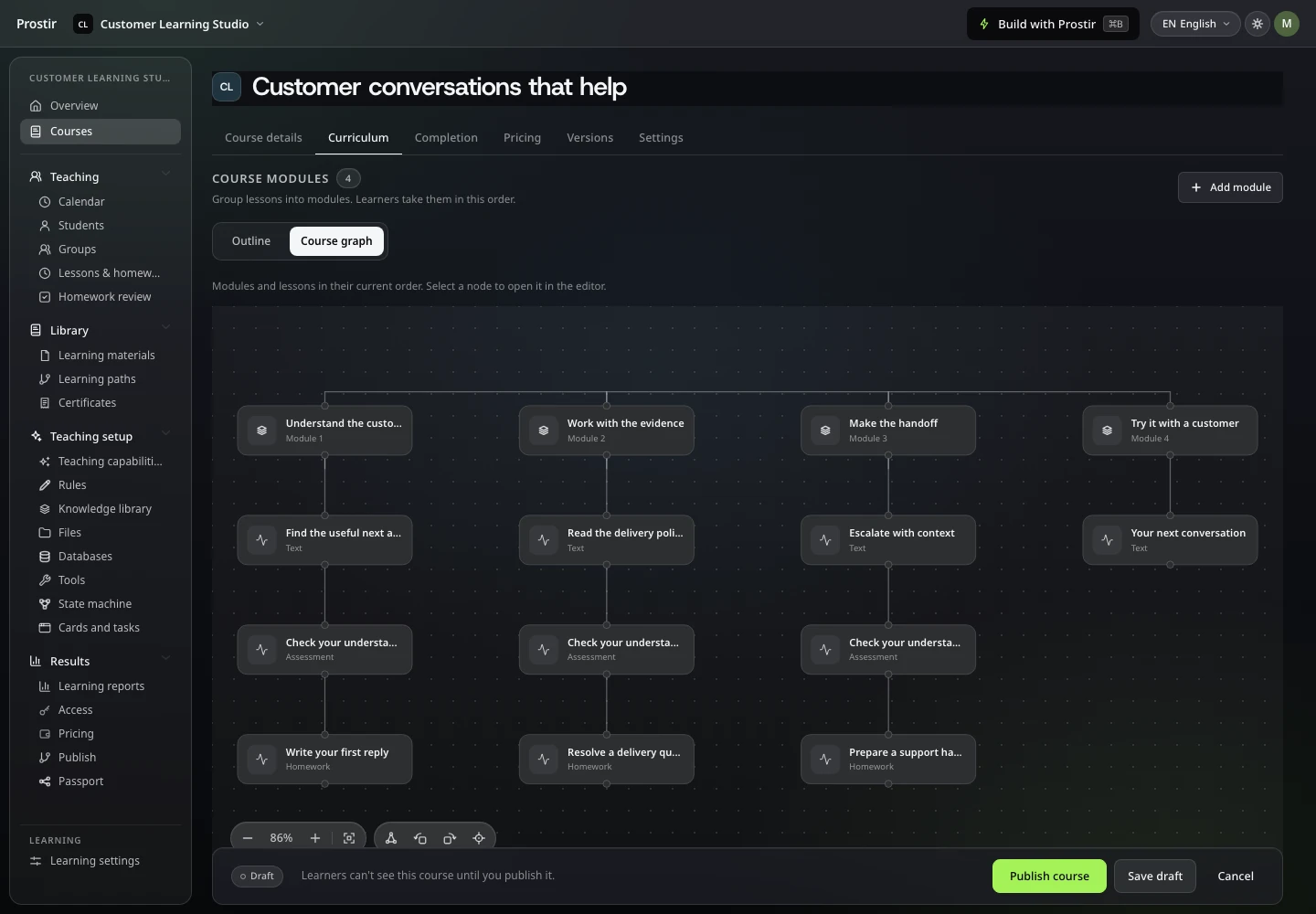
See modules and lessons as a connected course graph, and open a lesson from its node.
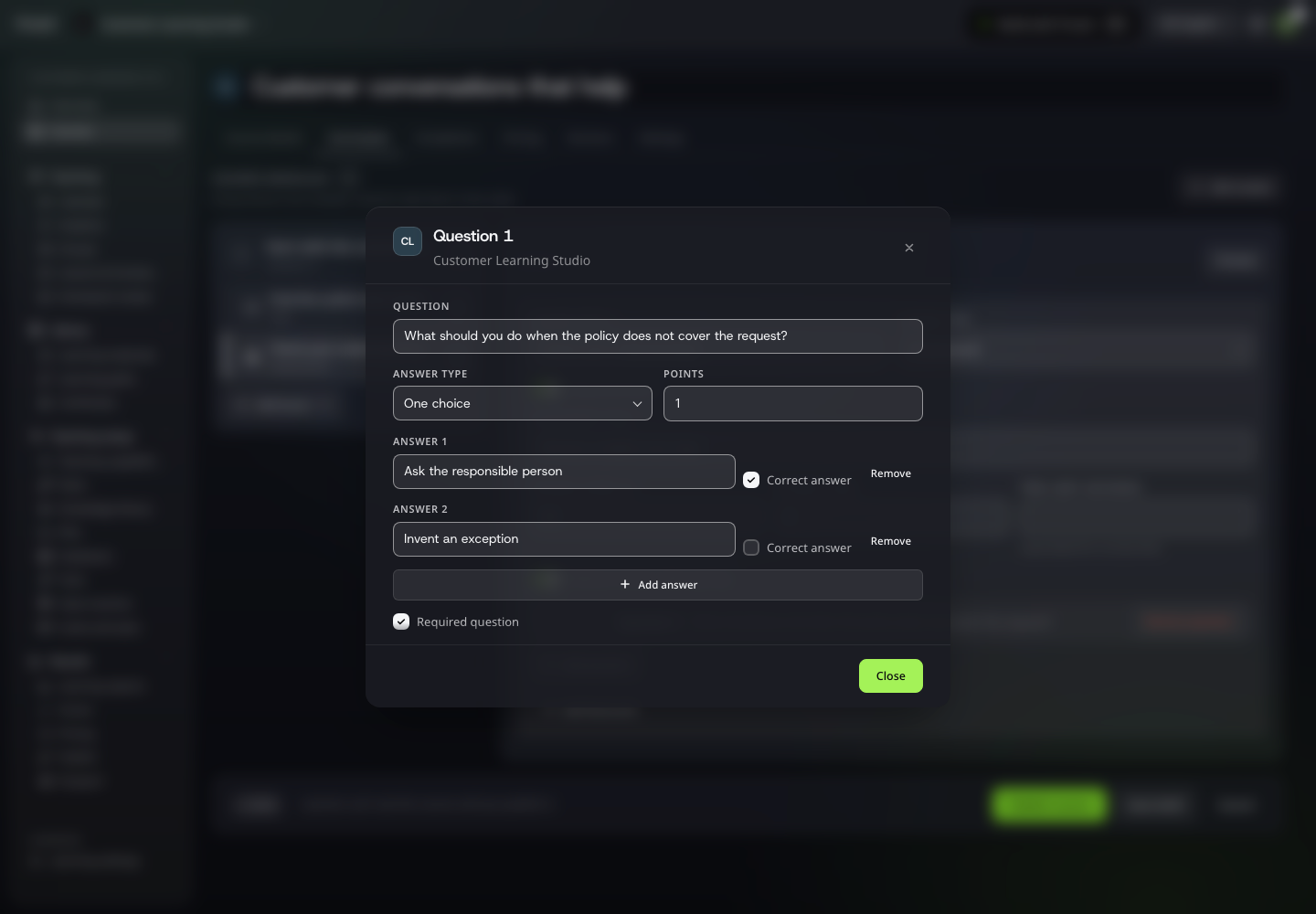
Check understanding with a focused question, answer choices and a clear scoring rule.
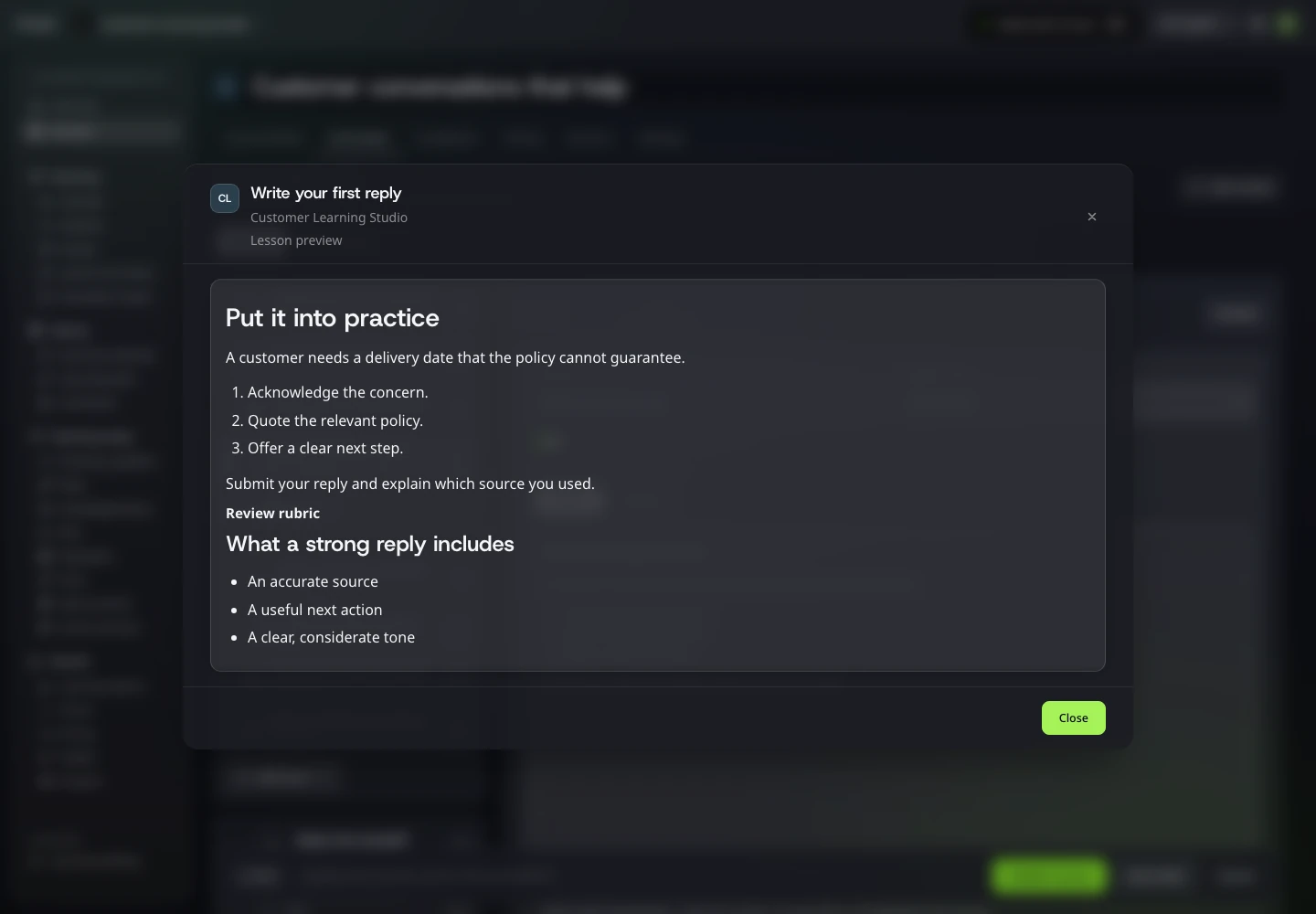
Give learners a concrete assignment, clear submission instructions and review criteria.
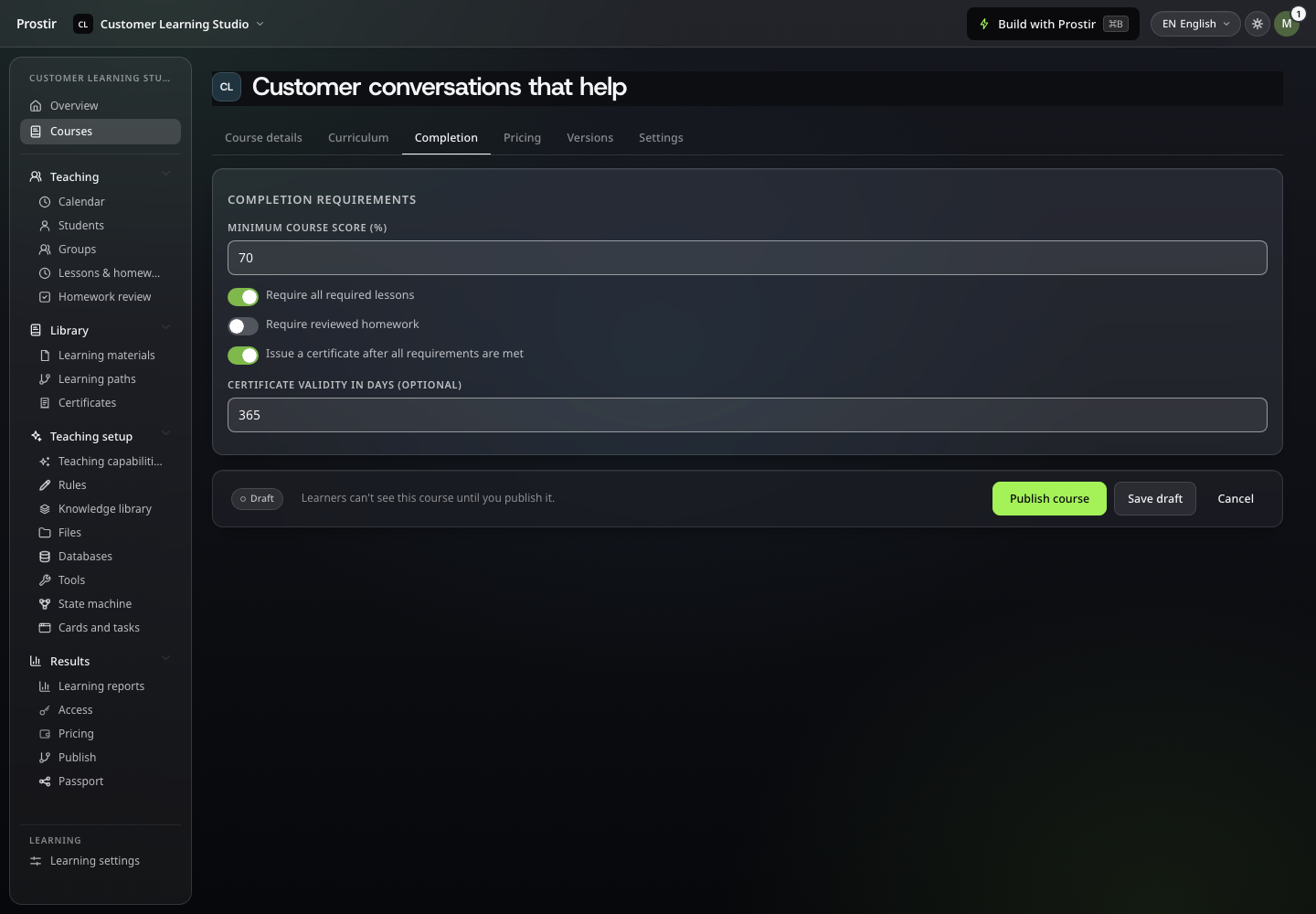
Choose the lessons and assessment results needed to complete the course.
Follow a real interaction in Prostir. Pause whenever you want a closer look.
A useful first step
Define one learning goal, your teaching material and a practical understanding check. Includes a ready Builder brief and the current Learning Preview boundaries.
You can edit this brief in Prostir before starting Builder.
Plan your first step
Your plan determines course allowances. Use the 7-day Creator trial to try one focused teaching experience with your own material.
Supported hosted runs can use AI Credits or your own provider key. External AI-client subscriptions and paid tools have their own costs.
Learning remains in Preview. The recorded demo shows free session booking. Test the exact course, teaching and access experience before inviting learners. Attendance tracking and mentor collaboration are still in development.
Would you be against trying one topic with a learner before building the whole course? Start your 7-day Creator trial, no card needed. Describe the teaching in Builder and explore Learning Preview with your own material.