Prostir

Research-backed article

What is an AI-native CRM? A practical definition for 2026

An AI-native CRM brings AI into the actual customer process: relevant context, useful records and authorized next actions. The right setup reflects your fields and stages while keeping the customer record reliable.

Before you read

What gets published

You will be able to distinguish AI-native from AI-enabled CRM, map the minimum operating contract, and decide whether a packaged suite, a custom system, or a hybrid is the safer choice.

Best for

Founders and operations leaders who want customer software shaped around their business instead of another generic pipeline with an AI add-on.

Where the work happens

AI-native CRM · What is AI CRM · Custom CRM · CRM and ERP

01

The thirty-second definition

An AI-native CRM starts with the assumption that people and AI assistants will both work with customer context. Records, relationships, knowledge, tasks, tools, permissions, and history are therefore exposed as clear contracts the AI can understand. The interface may be a board, form, report, or conversation, but the customer record remains durable and inspectable. AI is a participant in the workflow, not the database and not the source of authority.
02

AI-native is not an AI button

A traditional CRM can add summaries, email drafts, or a chatbot and still keep the same rigid process underneath. Those features can be useful, but they do not make the system AI-native. The stronger test is whether AI can find the exact context, explain why it suggests a next step, call only approved tools, and leave a reviewable record. If a friendly chat bypasses permissions or invents state, the product is merely hiding risk behind a new interface.

03

Your process becomes the data model

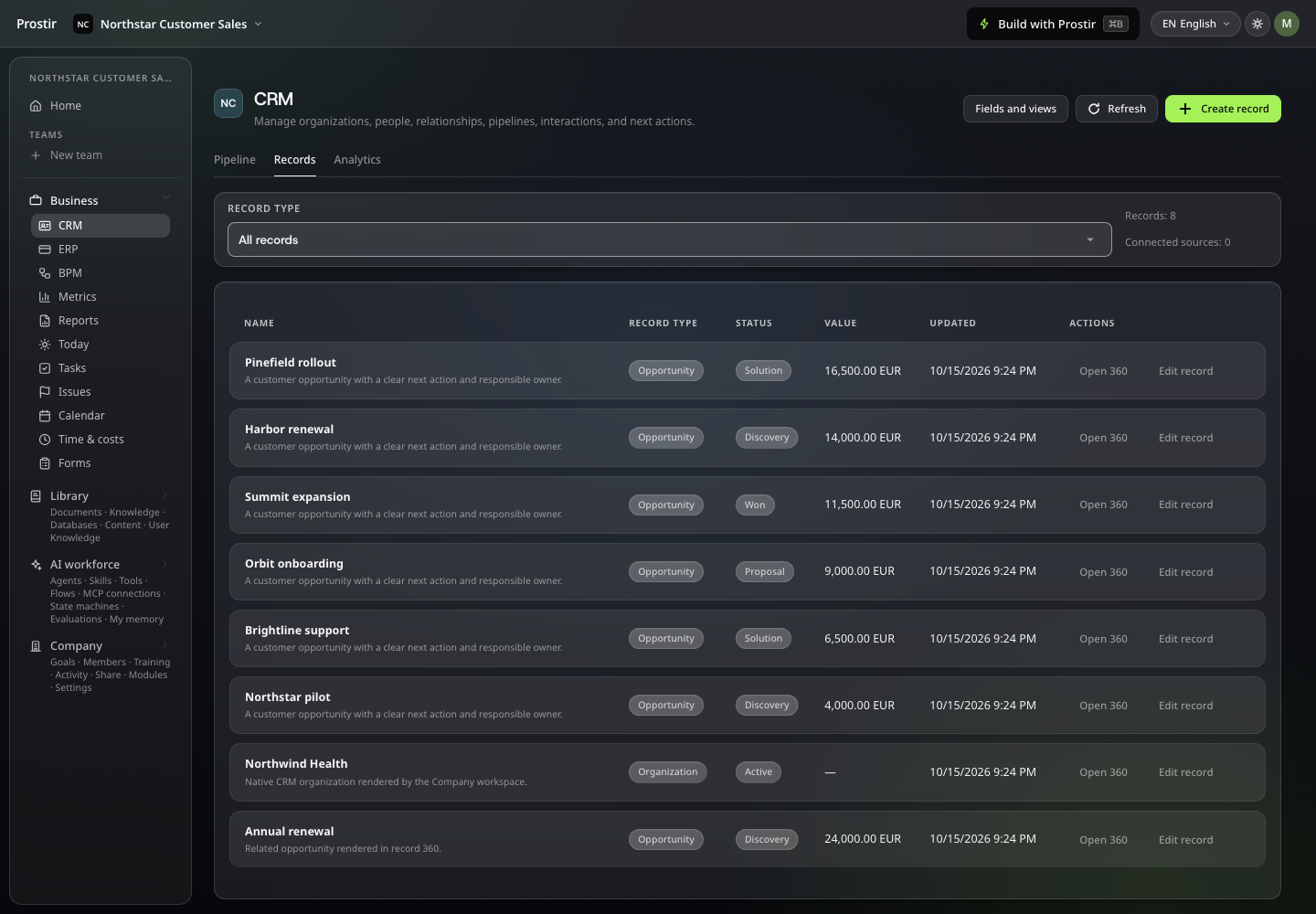
A useful CRM mirrors how your business actually moves from first contact to qualification, offer, delivery, renewal, and support. That means naming the real entities, relationships, states, owners, required evidence, and exceptions before generating screens. AI can help write the schema and views, but the business must decide what a qualified lead means, who may change a price, which personal data is justified, and what happens when the normal path breaks.

Prostir Company CRM table with organization and opportunity records
Select the image to open it full size.
04

AI proposes; owned rules decide

Let AI search approved knowledge, prepare a meeting brief, suggest a follow-up, classify an incoming request, or draft a record update. Keep deterministic validation, identity, membership, money, deletion, and final state changes in the owned service. Separate read, draft, approve, and commit. A high-impact action needs a visible confirmation, actor attribution, revision history, and a way to undo or correct it. Natural language can request an action; it cannot grant itself authority.

05

CRM and ERP need one control boundary

CRM owns customer relationships and commercial activity; ERP-oriented operations own delivery, resources, inventory, finance, or other internal execution. A small company may connect both in one business control plane, but the nouns and authorities should remain distinct. One customer can link to an order, project, document, or task without copying every field everywhere. AI becomes more useful when it can traverse those approved links, while each owner still validates its own state.

06

A practical fit test

Choose an AI-native approach when the process is genuinely distinctive, a small accountable company can maintain it, and approved AI assistance beside shared work creates value. Choose a mature CRM suite when marketing automation, attribution, forecasting, service, telephony, compliance administration, or a broad integration market is the main requirement. No architecture guarantees success: pilot with real records, measure missed follow-ups and corrections, and keep the system only if people can answer what happens next from one trusted place.

Solutions

AI workspace for companies: your team's work in one place

One private Company where your team and its AI helpers see the same tasks, records, files and knowledge. Each person sees and edits what their role allows, and every change is easy to trace back.

Solutions

Give your team's work one home.

Stop digging through chats to find out what happens next. Set up one board, a few records and your own knowledge in Company Preview. Start your 7-day Creator trial, no card needed. Company Preview is included in Creator and AI Creator Pro.

Image preview